
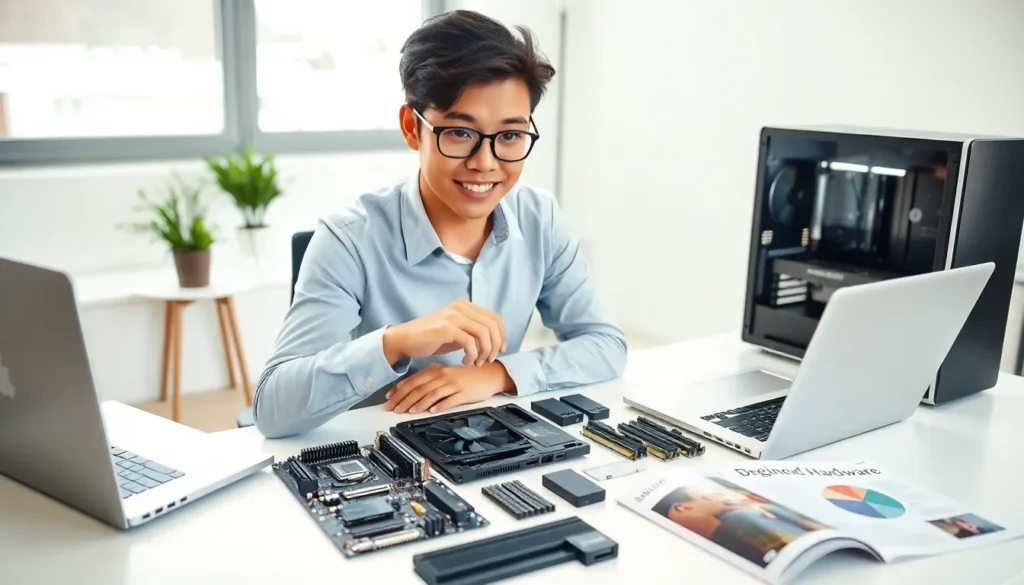

Hardware for beginners doesn’t have to be confusing. Every computer runs on physical components that work together to process information, store files, and display results. Understanding these parts helps users make smarter buying decisions and troubleshoot basic problems. This guide breaks down the essential hardware components, explains how they function together, and offers practical tips for choosing the right equipment. Whether someone is building their first PC or simply wants to understand what’s inside their laptop, this article provides clear answers.
Table of Contents
ToggleKey Takeaways
- Hardware for beginners starts with understanding two categories: internal components (CPU, RAM, motherboard) and external devices (monitor, keyboard, mouse).
- The CPU acts as the computer’s brain, processing all instructions—look for multi-core processors to handle multiple tasks efficiently.
- RAM provides temporary memory for active programs, with 8–16GB being sufficient for most everyday users.
- SSDs offer faster performance than HDDs, making them ideal for operating systems, while HDDs provide affordable storage for large files.
- Always check component compatibility before purchasing, as CPUs, motherboards, and RAM must match specific specifications.
- Choose hardware based on your actual needs—general users can save money with entry-level parts, while gamers and creators benefit from higher-performance components.
What Is Computer Hardware?
Computer hardware refers to the physical parts of a computer system. These are the components users can see and touch, unlike software, which consists of programs and applications.
Hardware includes everything from the monitor and keyboard to internal parts like the processor and memory chips. Each piece serves a specific function. The keyboard allows input. The monitor displays output. Internal components handle processing and storage.
Hardware for beginners starts with recognizing two main categories: internal and external hardware. Internal hardware sits inside the computer case. This includes the motherboard, processor, RAM, and storage drives. External hardware connects from outside. Examples include monitors, keyboards, mice, and printers.
The motherboard acts as the main circuit board. It connects all other hardware components and allows them to communicate. Without it, nothing works together. Think of the motherboard as a highway system, data travels along its pathways to reach different destinations.
Power supplies convert electricity from wall outlets into usable power for computer components. They’re often overlooked but essential. A computer without adequate power simply won’t run properly.
Essential Hardware Components Every Beginner Should Know
The Central Processing Unit (CPU)
The CPU functions as the computer’s brain. It executes instructions from software programs and handles calculations. Every action a user takes, clicking a link, opening a file, running a game, requires the CPU to process commands.
CPU speed is measured in gigahertz (GHz). Higher numbers generally mean faster processing. But, speed isn’t everything. Modern CPUs contain multiple cores, allowing them to handle several tasks simultaneously. A quad-core processor can manage four operations at once.
Intel and AMD dominate the CPU market. Both companies offer hardware for beginners at various price points. Entry-level processors handle everyday tasks like web browsing and document editing. High-performance chips support gaming, video editing, and professional applications.
Heat management matters for CPUs. These chips generate significant warmth during operation. Cooling systems, fans or liquid coolers, prevent overheating and maintain performance.
Memory and Storage
RAM (Random Access Memory) provides temporary storage for active programs and data. When someone opens an application, it loads into RAM for quick access. More RAM allows more programs to run smoothly at the same time.
Most computers today include 8GB to 16GB of RAM. This amount handles typical workloads well. Gamers and content creators often benefit from 32GB or more. RAM operates much faster than storage drives but loses all data when power shuts off.
Storage drives hold files permanently. Two main types exist: Hard Disk Drives (HDDs) and Solid State Drives (SSDs). HDDs use spinning magnetic disks to read and write data. They offer large capacities at lower prices but operate slower.
SSDs contain no moving parts. They use flash memory to store information, resulting in faster read and write speeds. Computers with SSDs boot up quickly and load programs in seconds. The trade-off? SSDs cost more per gigabyte than HDDs.
Many users combine both types. An SSD handles the operating system and frequently used programs. An HDD stores large files like photos, videos, and games. This setup balances speed and storage capacity effectively.
How Hardware Components Work Together
Understanding hardware for beginners means seeing how parts connect and communicate. No single component works in isolation. Each relies on others to complete tasks.
Here’s a simple example: A user clicks a program icon. The input device (mouse) sends a signal through the motherboard to the CPU. The processor retrieves program files from the storage drive. It loads necessary data into RAM for quick access. The CPU processes instructions and sends visual information to the graphics card. Finally, the monitor displays the program interface.
This entire sequence happens in milliseconds. Every hardware component plays its role.
The graphics processing unit (GPU) deserves mention here. GPUs handle visual rendering. They process images, videos, and game graphics. Integrated GPUs come built into CPUs, suitable for basic tasks. Dedicated graphics cards offer much more power for gaming and creative work.
Data travels between components via buses, electrical pathways on the motherboard. Faster buses mean quicker communication. Modern systems use PCIe (Peripheral Component Interconnect Express) for high-speed connections.
Bottlenecks occur when one component limits overall performance. A powerful CPU paired with insufficient RAM creates slowdowns. Balance matters. Hardware for beginners should emphasize matching component capabilities to avoid wasted potential.
Tips for Choosing the Right Hardware
Selecting hardware starts with identifying needs. A student writing papers needs different specs than a video editor rendering footage. Beginners should ask: What will this computer do most often?
For general use, web browsing, email, streaming, modest hardware works fine. An entry-level CPU, 8GB RAM, and a 256GB SSD handle these tasks easily. This setup keeps costs reasonable while providing good performance.
Gaming demands more powerful hardware. Modern games require capable graphics cards, fast processors, and at least 16GB RAM. Storage needs increase too, as games often exceed 50GB each.
Content creation, video editing, graphic design, music production, benefits from high-performance CPUs with many cores. These tasks involve heavy processing. Large amounts of RAM (32GB or more) help with complex projects. Fast SSDs reduce wait times when working with big files.
Budget matters, obviously. Hardware for beginners doesn’t require top-tier components. Mid-range parts often deliver the best value. They perform well without premium pricing.
Compatibility requires attention. Not all components work together. CPUs fit specific motherboard sockets. RAM types must match motherboard specifications. Researching compatibility before purchasing prevents frustrating returns.
Future upgrades deserve consideration. Choosing a motherboard with extra RAM slots or storage connections allows improvements later. This approach extends a computer’s useful life without complete replacement.


